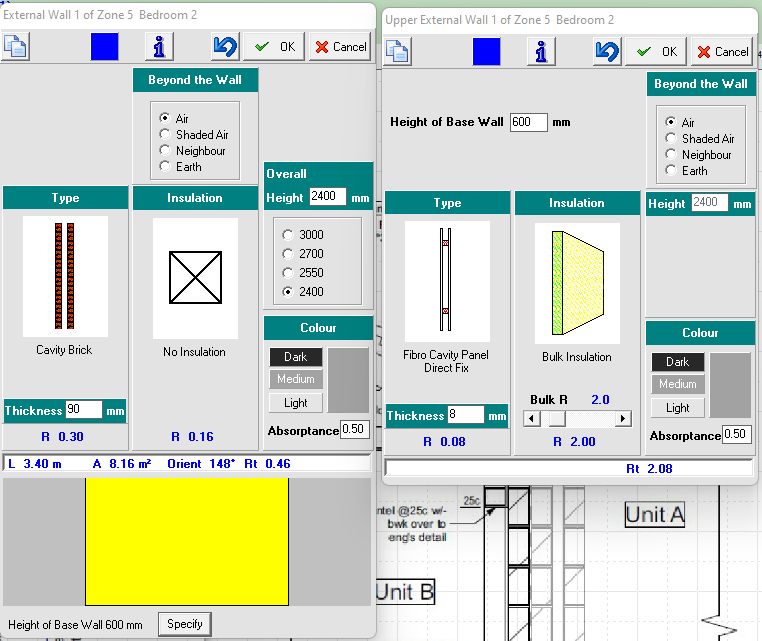
If a wall is designed with a horizontal split with brick cavity to the lower section of wall and stud frame to the top section of wall - the following would need to be applied:
- Ideally complete modelling of the zone - external doors / windows etc...
- Right click on the external wall that needs to be split horizontally
- Overall height to show ceiling level height of that wall / zone
- Lower construction type modelled first = brick cavity
- To model the top section of wall, select the “Specify” button and enter the height at where the brick cavity ends and the new construction type begins - in this example brick cavity (the lower construction type) featured from 0mm to 600mm and stud frame (the top construction type) featured for the remainder of the wall being 600mm to 2400mm.
- Change the construction type / insulation and wall colour as required
NOTE:
The system will use the height of the wall, the height of the base wall and the head height of the window/door to work out what proportion, if any, is to be split between the construction materials
This method is suitable for any combination of external wall constructions